Budgets that fit how you spend
Set an amount for each category, from groceries to going out, and see what's left as every payment comes in.
Get MoneyLoop free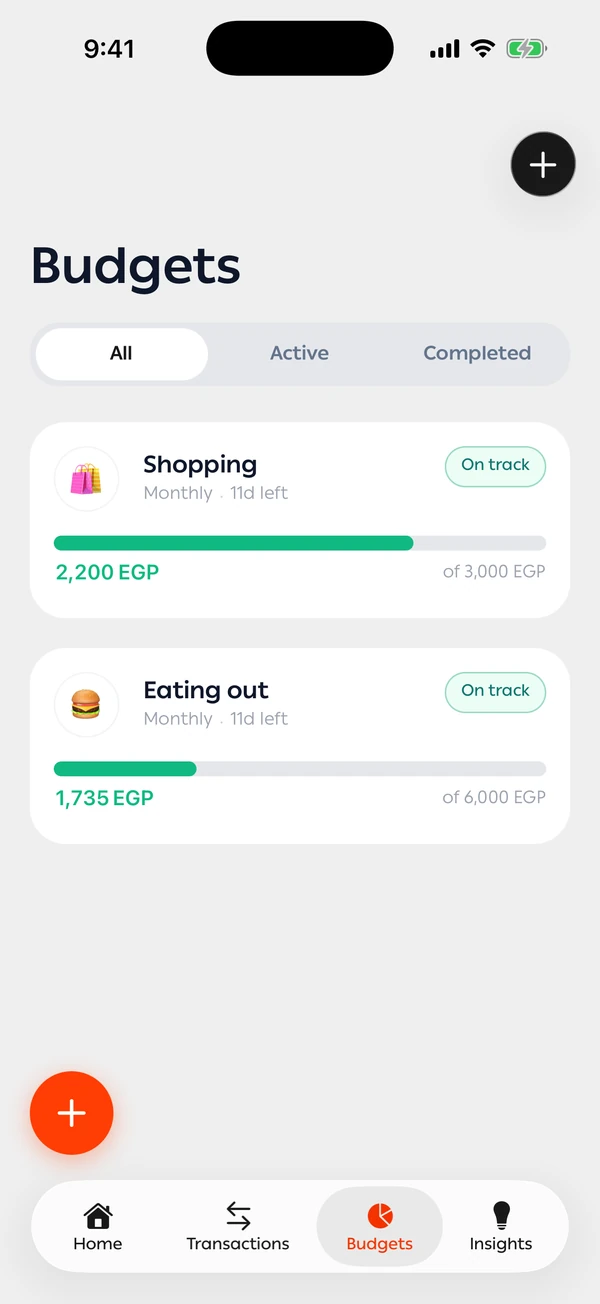
How do I set a monthly budget that fits my income?
In MoneyLoop you set a monthly limit for each category, such as food, transport or going out. Every expense counts against its budget as soon as it's logged, whether it came from a bank text or you added it yourself. You can see what you've spent and what's left at any moment, and you get a heads-up before you go over, so you adjust during the month, not after it.
A limit per category
Separate budgets for the categories you care about, each with a clear progress bar.
An alert before you go over
You hear about it when you're close to the limit, not after.
Month against month
See whether your spending is improving or needs another look.
Budgets, in detail
You see where you stand against your limit mid-month, not after it's over.
Any period, any categories
Weekly, monthly, one-off or a cycle of your own, counting one category or several. Each one shows what you can spend per day to the end of the cycle, and you can share it with family.
- On track
- Almost there
- Over budget
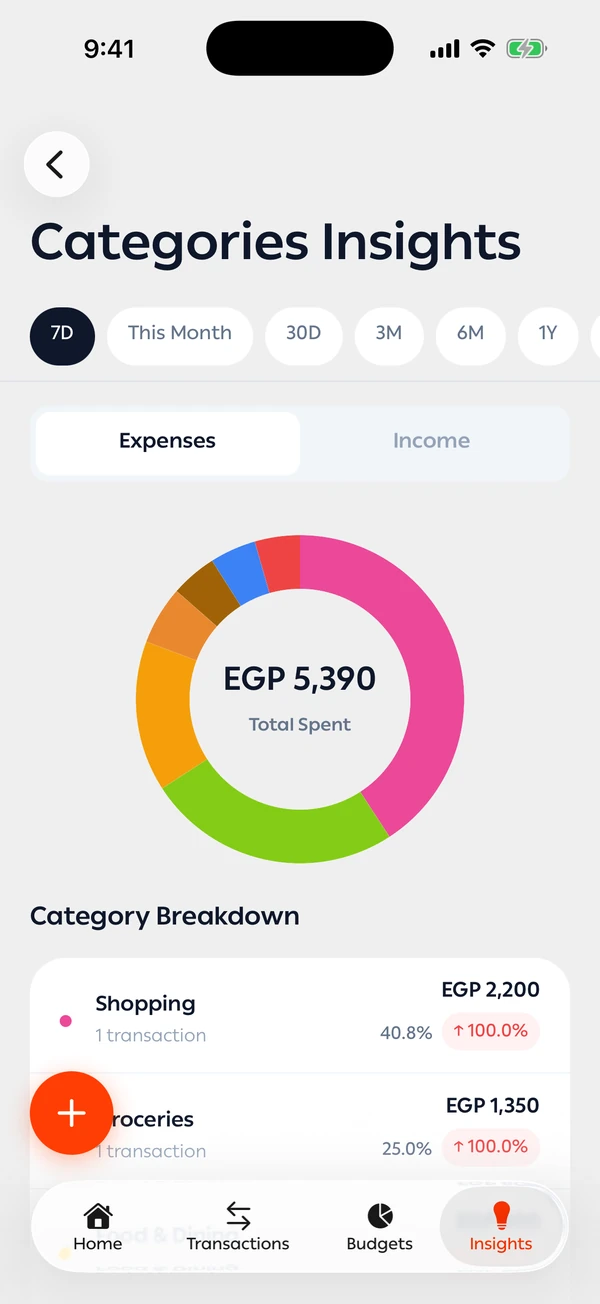
See where the money goes
Category insights show each category's share of your spending in the period you pick, so you know where a budget helps most.
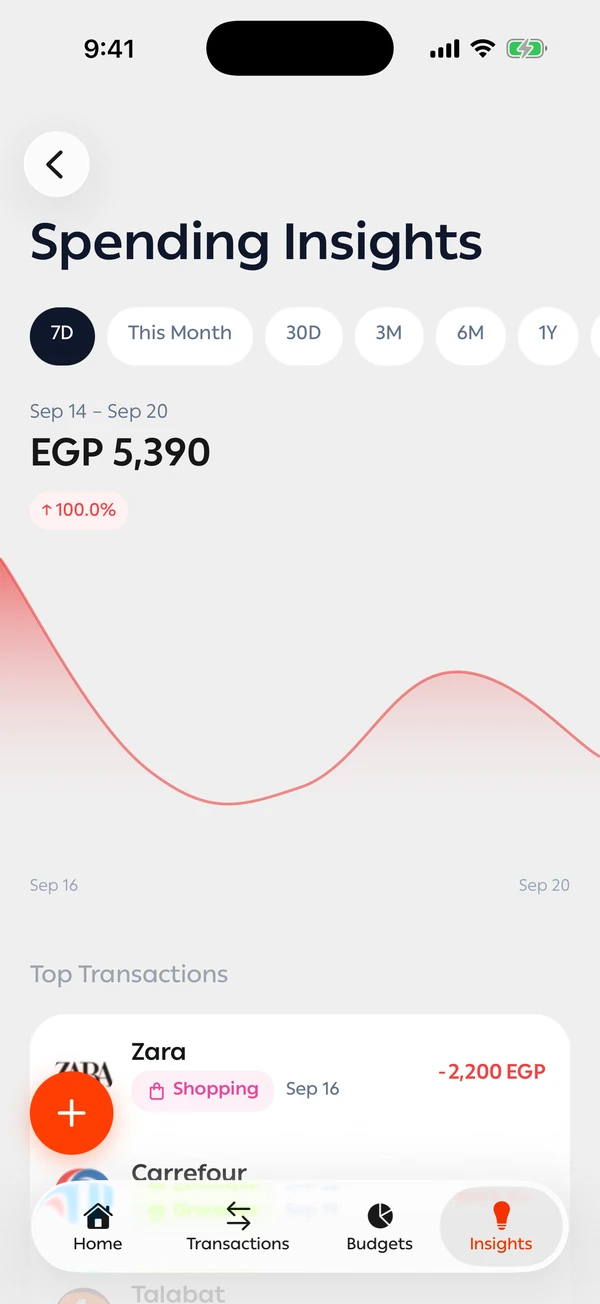
Your spending, day by day
A chart of your spending over the period you choose, with its biggest transactions, so you see what pushed the number up.
Control without going without
Very helpful App